How it works
Practice, feedback and readiness in one loop.
SimplTraining turns the calls your team finds hardest into practice they can repeat, with a manager still deciding who is ready.

1 · Practice
A voice coach that plays the customer.
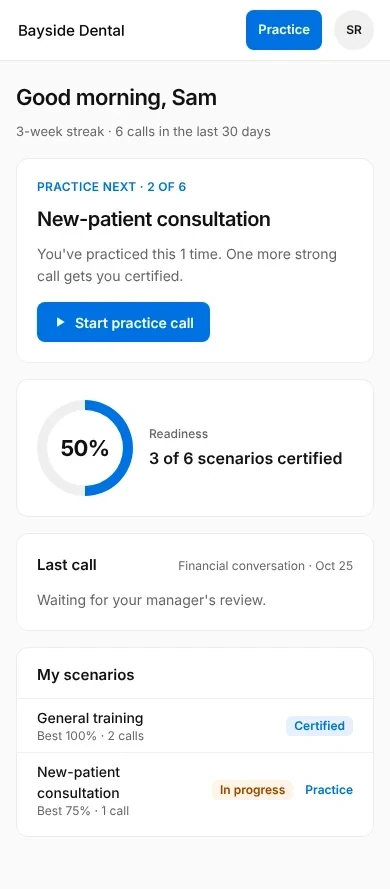
Each scenario is a real situation from your business: who is calling, what they want and what makes it hard. Your team talks it through out loud, in the browser, as many times as they like.
- Scenarios written from your scripts and policies
- Works on a phone or computer, no app to install
- Try again right away, or come back later
2 · Feedback
Checked against what good looks like here.
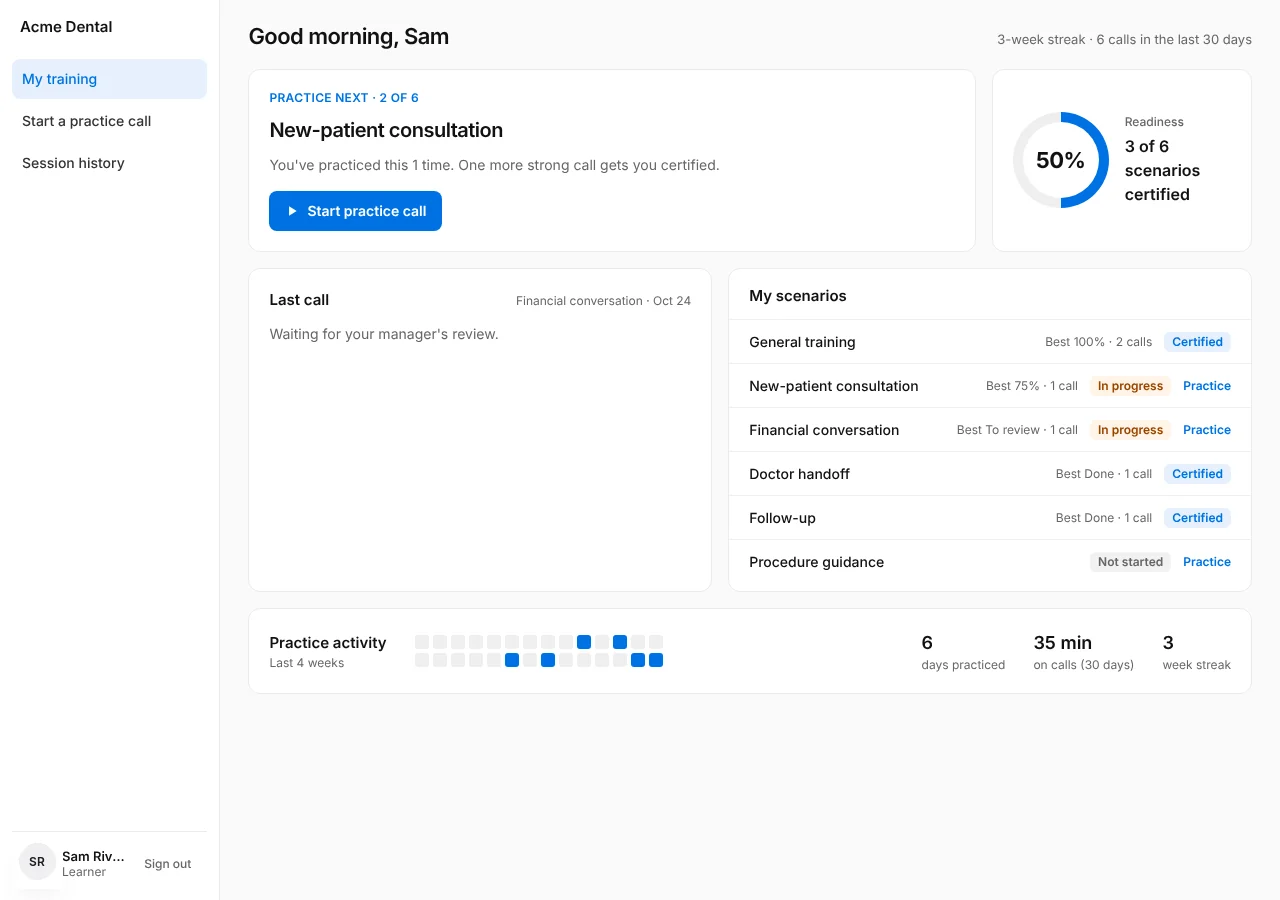
You agree on a short checklist for each scenario, a handful of steps a good call includes. Every practice call is marked step by step, and a manager can review it and change the result.
- Up to eight steps per scenario, in plain language
- Met or missed, step by step
- A manager has the final say
3 · Readiness
Managers see the whole team at a glance.
Who has practiced, who is ready for each scenario, which calls are waiting for review and which steps people miss most. A summary lands in your inbox every week.
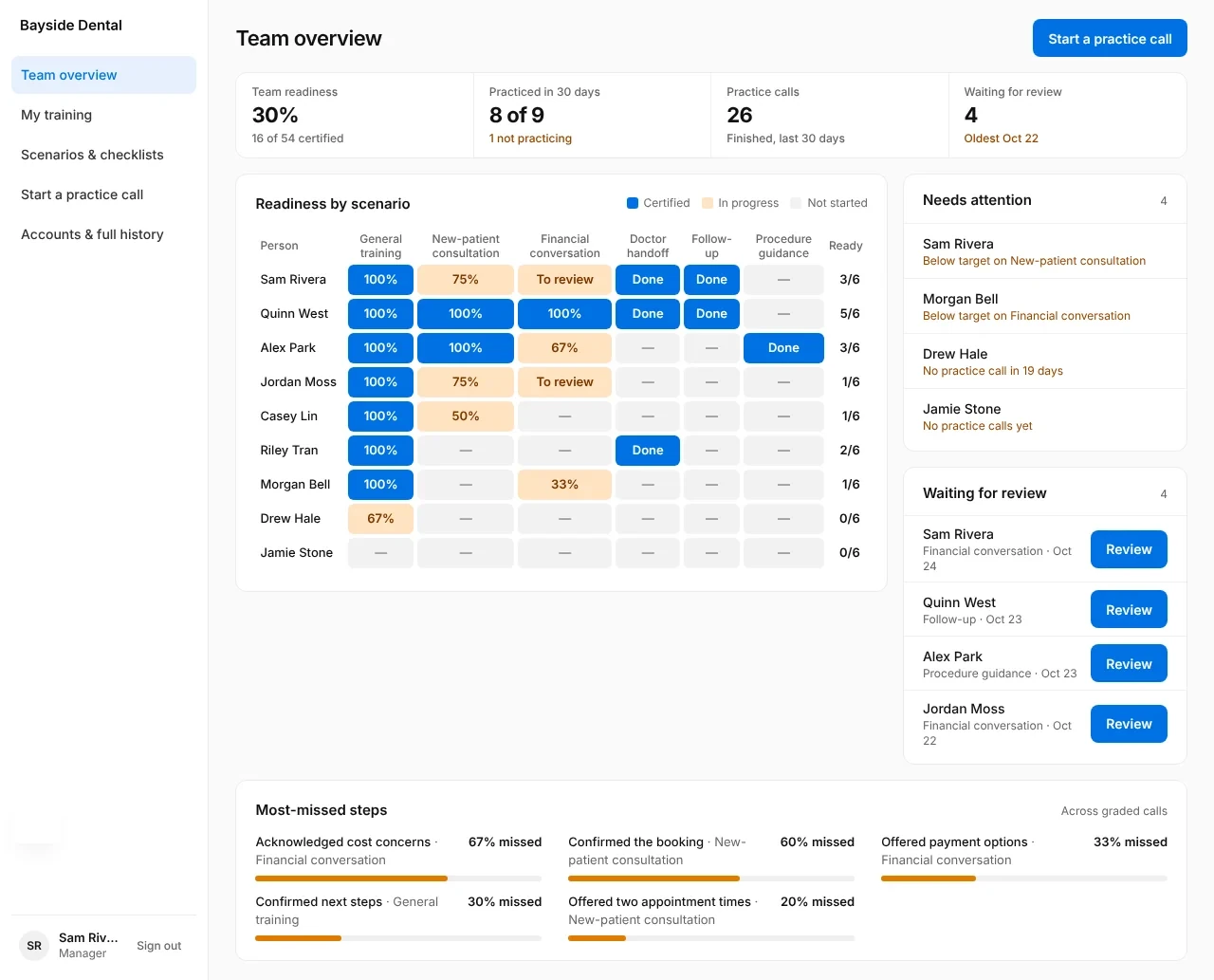
Sample data. Explore the dashboard demo

The coaching stays human.
Practice shows how someone handles a rehearsed situation. It is not a certification. Managers use it to decide where to spend their coaching time, and when someone is ready for the real thing.
Getting started
Pick one role and one hard call
The conversation that keeps going wrong is the best place to start.
We build the first scenarios
From your scripts, policies and the managers who know what good sounds like.
Your team practices
A short pilot shows who uses it and what the checklist catches.
Expand from there
Add roles, scenarios and locations once the first one works.
Common questions
Can we use our own scripts and procedures?
Yes. Scenarios and checklists are built from the way your team already works, and you can change them as your procedures change.
Does this replace a trainer or manager?
No. It gives people the practice repetitions, so the trainer's time goes to coaching. A manager still decides when someone is ready.
What does my team need to practice?
A phone or computer with a microphone and a browser. There is no app to install.
How is a practice call graded?
Against a short checklist you agree on, step by step. Managers can review any call and change the result.
Is practice the same as certification?
No. Practice shows how someone handles a rehearsed situation. Treat it as one input to a manager's judgment, not a license.
Start with one role and one hard call.
Tell us which conversation keeps going wrong. We'll build the first practice scenario with you.